push2talk

Hold a key. Speak.
Release it. It's typed.

Local push-to-talk dictation, powered by Whisper. Free, open-source, and your voice never leaves your machine — not for a second.

Download for free ↓ View on GitHub
Linux & macOS · no account, no cloud, no telemetry
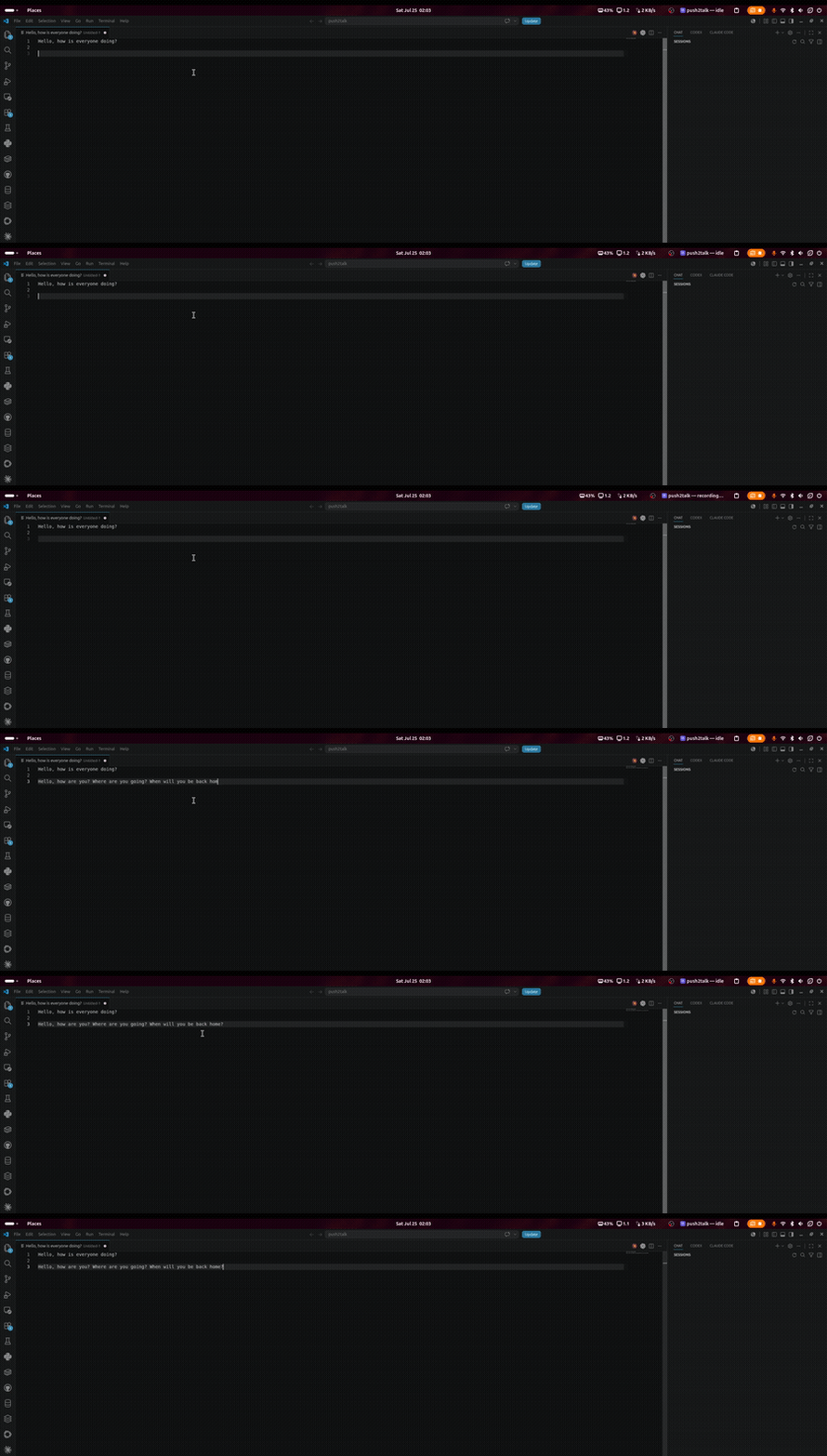
Screen recording on Ubuntu: holding a push-to-talk key, speaking, and the transcribed sentence being typed into a text editor
Real recording, not sped up — Ubuntu, holding F4, speaking, releasing.
How it works

No servers, no API keys, no account. Everything happens on your machine.

⌨️

1. Hold your hotkey

Pick any key in the setup wizard. Holding it starts recording from your chosen microphone.

🎙️

2. Speak

Audio is captured locally and resampled for Whisper — nothing is sent anywhere.

🧠

3. Release

whisper.cpp transcribes on-device, GPU-accelerated via Vulkan (Linux) or Metal (macOS).

✍️

4. It's typed

The transcript is typed wherever your cursor already is — any app, any text field.

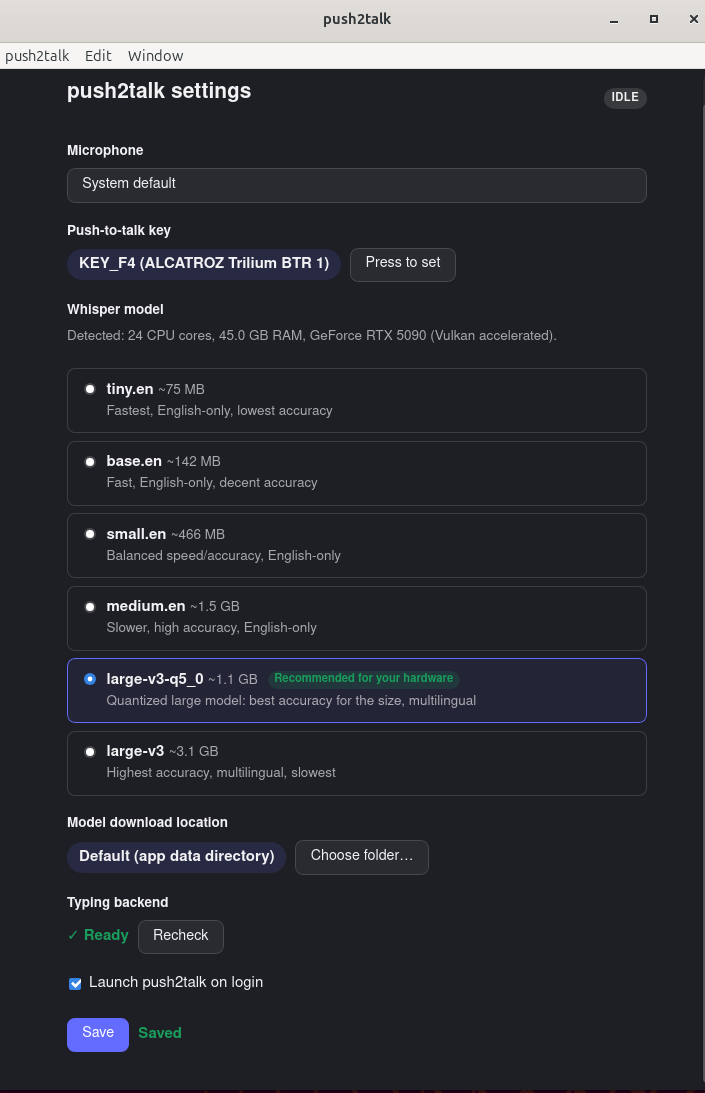
Setup wizard

A GUI walks you through configuring push2talk on first launch — no config files to hand-edit.

push2talk settings window on Ubuntu, showing microphone selection, push-to-talk key binding, a list of Whisper models with the recommended one highlighted based on detected hardware, and typing backend status

It detects your CPU, RAM, and GPU, and recommends a Whisper model tier to match — no guessing which one will actually run well on your machine.

After setup it lives quietly in the tray:

push2talk system tray icon on Ubuntu showing idle status

Why push2talk

Most dictation tools ship your voice to a server. This one doesn't, and it doesn't cost anything either.

push2talkTypical cloud dictation apps
PriceFreeSubscription
Audio leaves your machineNeverYes, to a server
Works offlineYesUsually not
Open sourceYesUsually not
PlatformsLinux, macOSVaries

Download

Latest release: v0.2.0. See the full install guide for platform-specific setup (a couple of one-time permission/service steps on both Linux and macOS).

🐧 Linux

.deb, .rpm, or the portable AppImage

🍎 macOS

Unsigned build — see install guide for the Gatekeeper workaround
